2 teammates

3 weeks
The website was created as part of my "Frond-end programming" course at Halmstad University. Togheter with my team, I aimed to discover an innovative tool to help users find furniture they've seen online but cannot identify, or similar, easy available options. I used
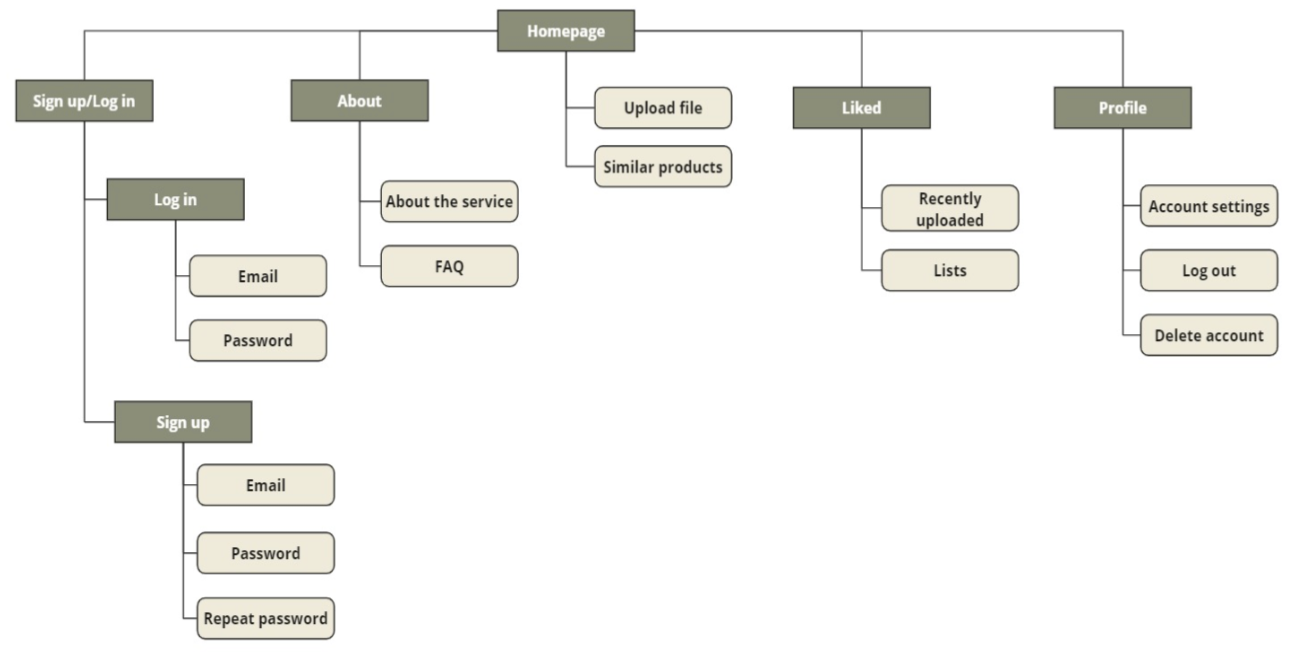
sitemaps, a DBMS model and high-fidelity prototypes as the foundation of the HTML, CSS and JavaScript coding which provided a clear structure for navigation, data handling and the intended user interface. To save user data some back-end functionalities were implemented using PHP and MySQL, however these functionalities along with the AI system, were only partially implemented and served to demonstrate the intended workflow.
My role focused on UX design, ensuring the website was intuitive, user-friendly and aligned with user needs. However, I collaborated closely with the rest of the team to translate design concepts into HTML, CSS and JavaScript, while also providing guidance on how back-end features and AI components would integrate with the user experience.
* Note that the website was previously hosted on a private server and is no longer publicly accessible.
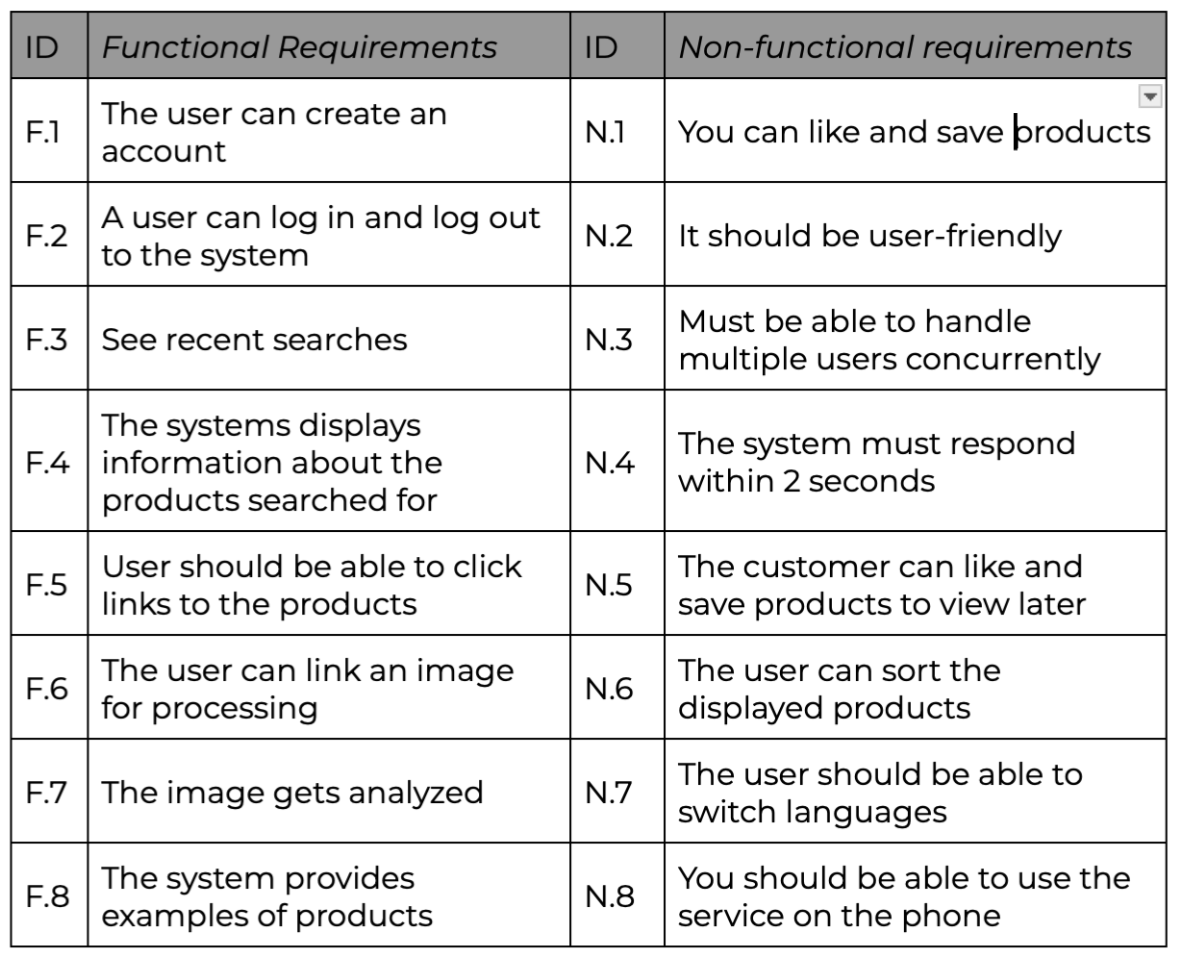
- In this project, I aimed to create a clear and intuitive interface and address the challenge of translating complex search needs into a simple user experience.
- I navigated technical limitations and partial implementation of features, gaining hands-on experience while keeping user experience central.
- I bridged the gap between design and code and found in challenging to ensure that user interactions were correctly connected to server-side logic.
- Delivered a functional front-end interface where users can furniture they like.
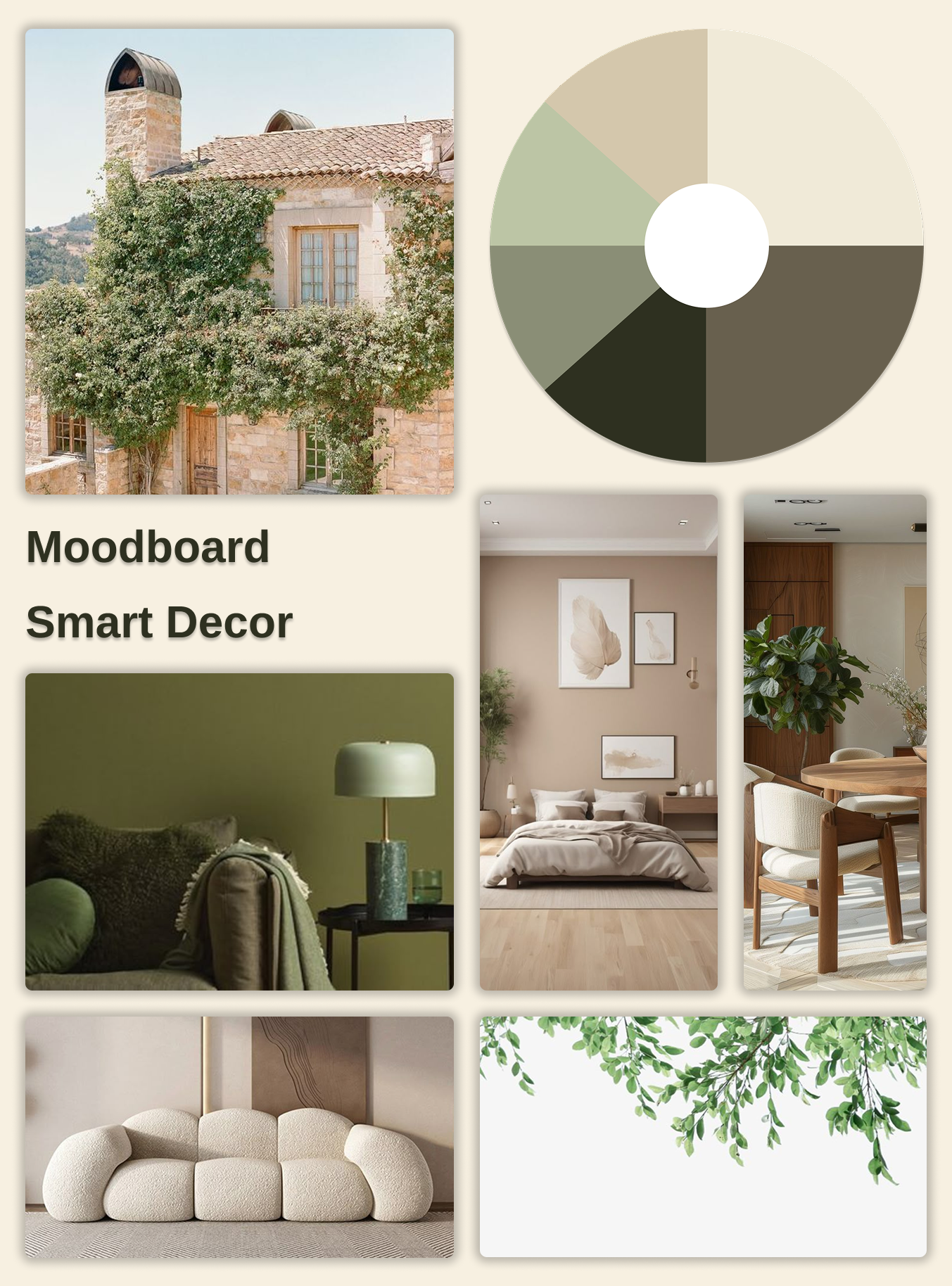
- Consistent UI using moodboards, frameworks and low- to high-fidelity wireframes.
- A responsive website with HTML, CSS, and JavaScript, featuring key pages like Home, About, Profile, and Liked Items.
- Integrating backend to support user data, including login and saved-item management, to bring the design to life.
- I learned a lot about the gap between design and development, and how much communication it actually takes to translate wireframes into working code. It taught me better collaborate and understand external roles.
- This project taught me the value understanding the technical features and create an MVP to focus on essential features and avoid unnecessary complexity.
- I gained hands-on technical confidence, from HTML, CSS and Javascript to backend integration.


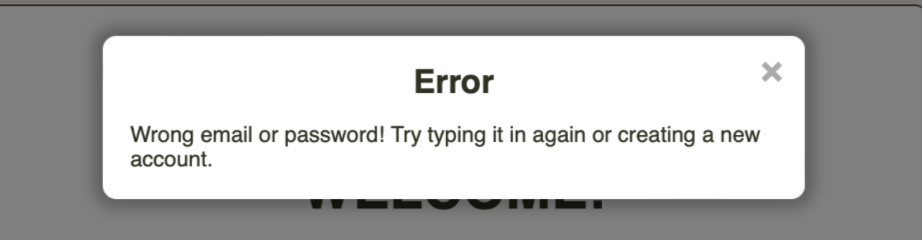
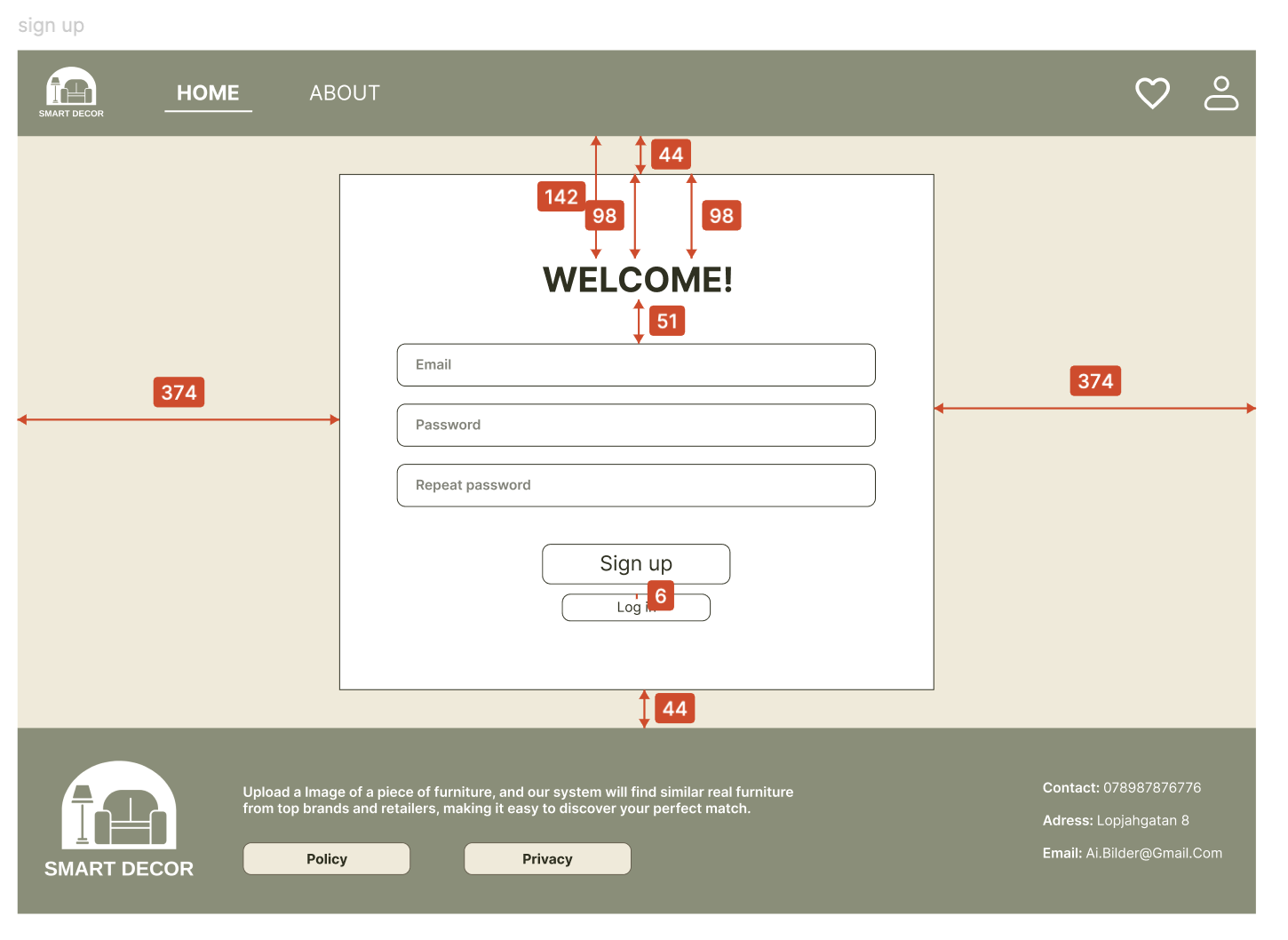
Incorrect input (e.g., wrong email or invalid file type) can confuse users. Error messages are displayed close to the field to show what went wrong.
Clear and easy-to-understand text, along with a prominent placement, allows the user to correct the issue immediately.


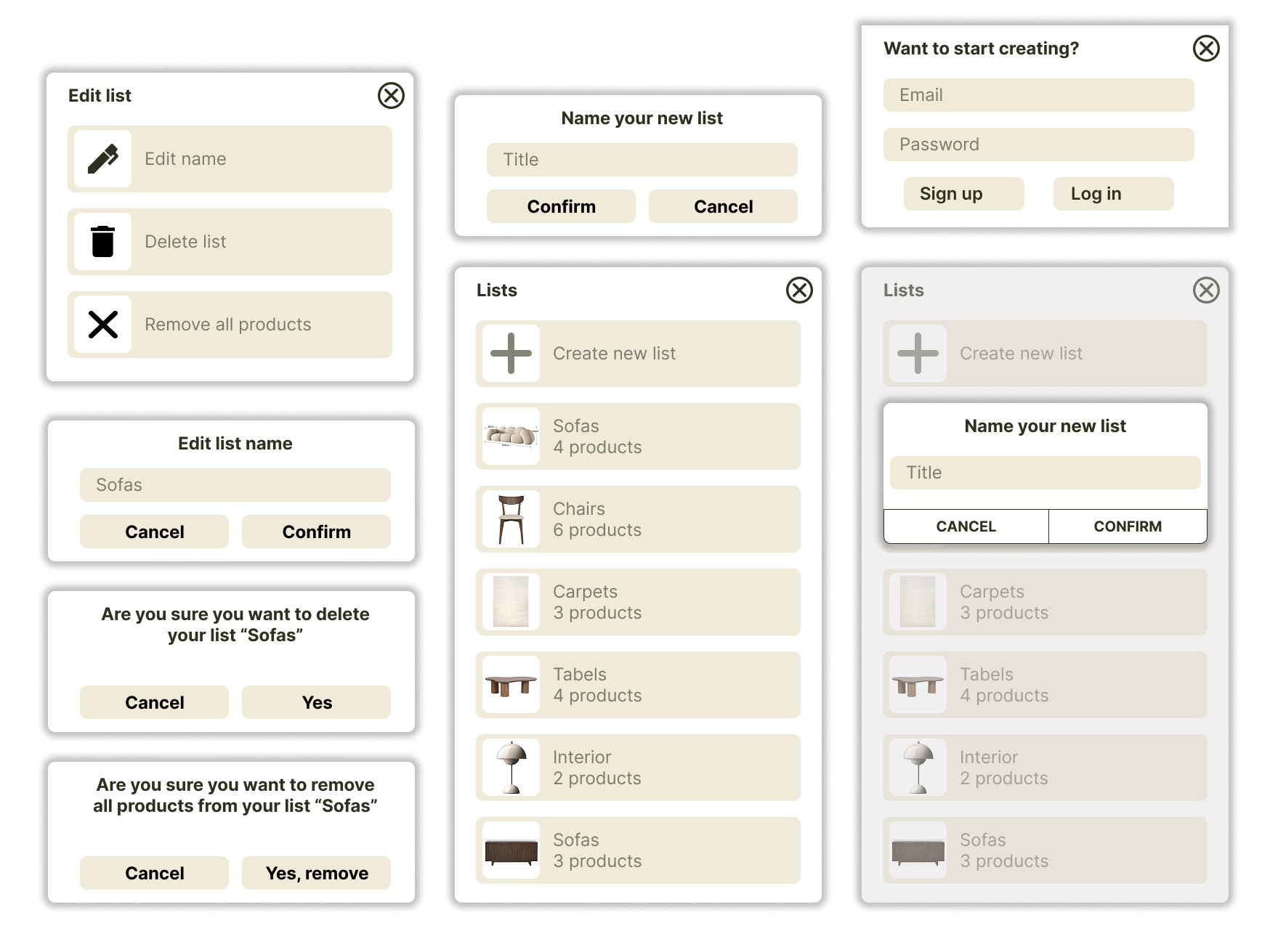
- Darkened background focuses user attention, reducing distractions.
- New list option placed at the top → quick access to create.
- Shows number of items in each list → instant overview.
- Consistent placement and icons → familiar interactions.
- Clear options reduces cognitive load and helps users organize and navigate efficiently.
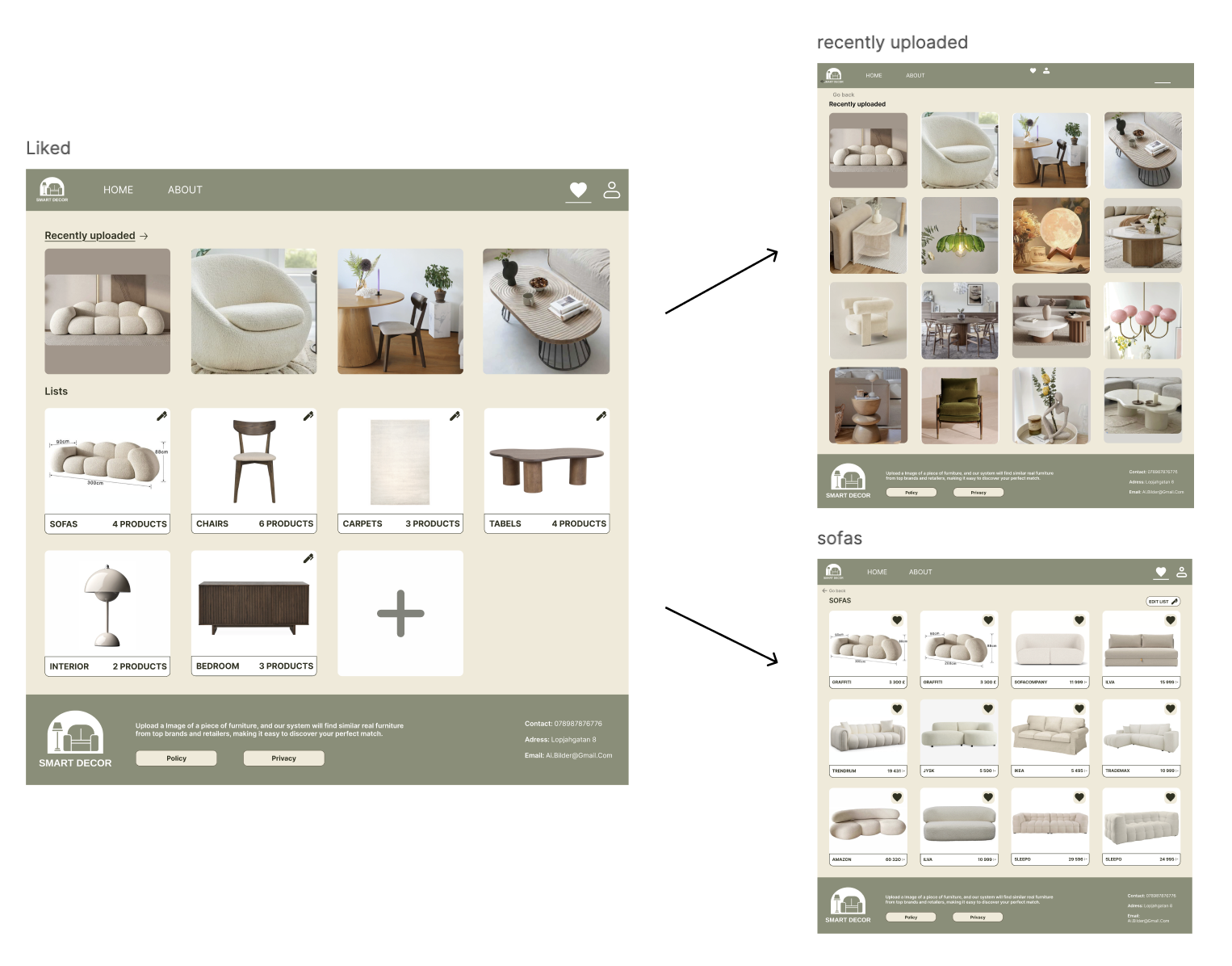
Items are sorted top-left to bottom-right, showing the most relevant content first to ensure a natural reading flow.
Clickable titles, arrows and pencil icons clearly indicate interactivity and edit options to promote clear affordances.
Actions like adding or editing items update visually, so users see the effect of their interactions with immediate feedback.
Only a few recent uploads are shown by default, avoiding information overload.
Layout and interaction patterns remain consistent across lists and pages, making navigation intuitive and consistant.


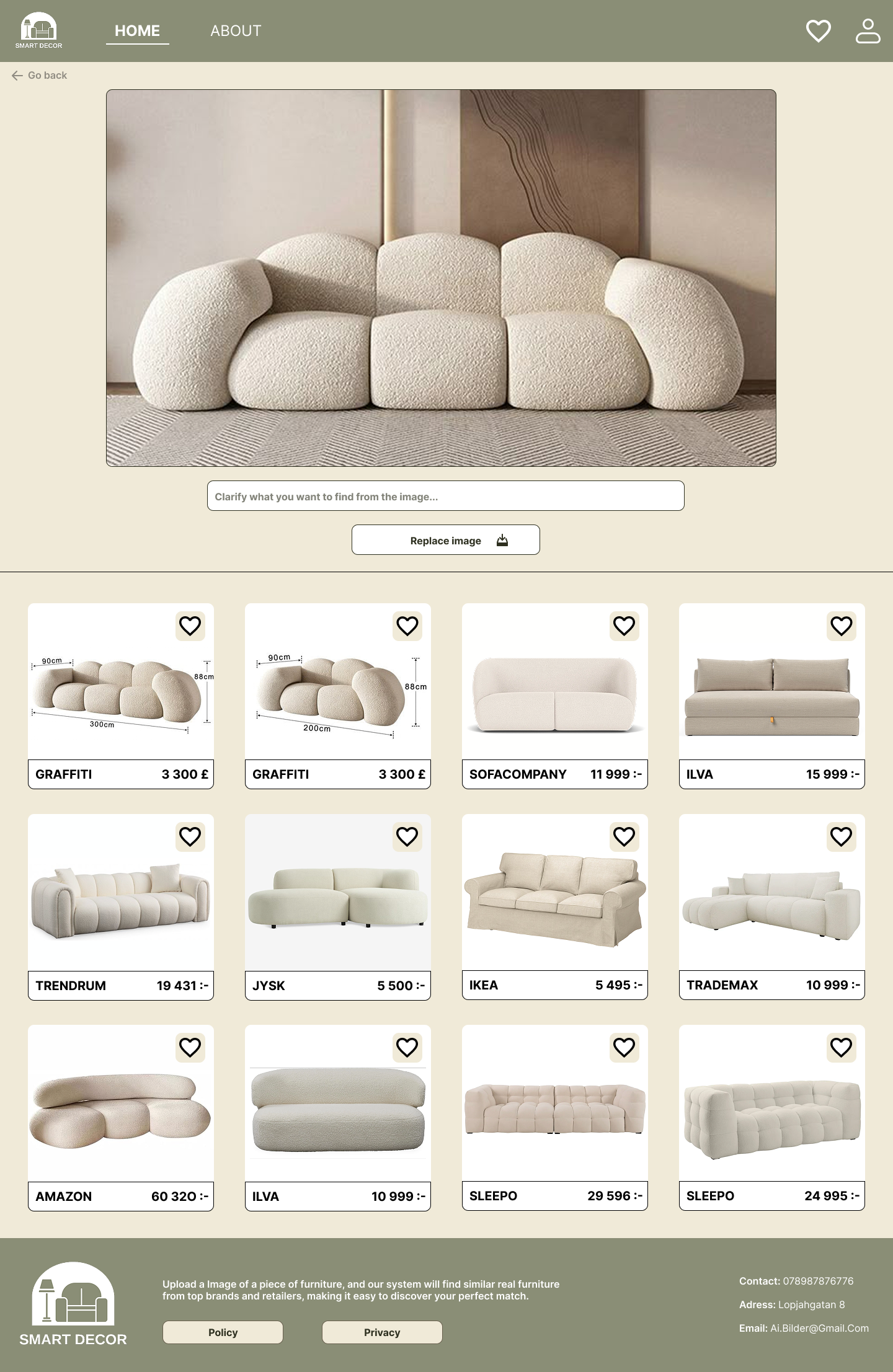
1. The user uploads a photo of a furniture item.
2. The system automatically identifies the type, style, color, and material of the item and generates keywords.
3. AI matches the keywords with similar items in the database.
4. Recommended products appear directly under the uploaded image, showing price, store, and image.
5.The user can replace the image or go back to refine the search.
Automatic recommendations reduce effort and simplify the user journey.Placement under the uploaded image supports natural scanning and context.Instant feedback makes the system feel responsive and intuitive.Enhances usability by helping users discover relevant items efficiently.
- Soft, natural colors from the moodboard create a calm and inviting atmosphere.
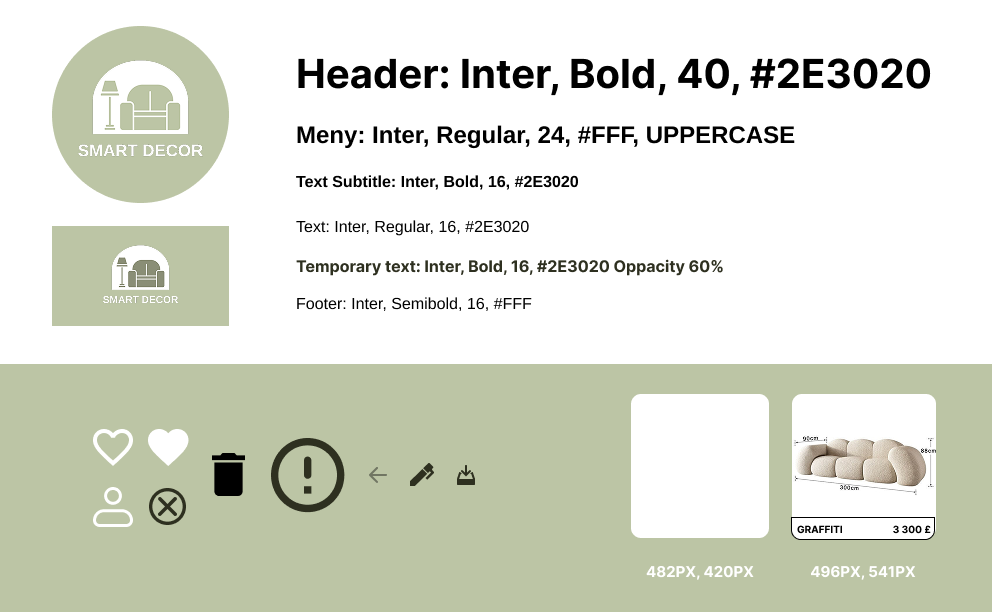
- Consistent use of “Inter” font for readability and modern aesthetic.
- Clear text hierarchy for headings, buttons, and body content.
-Layout follows a Z-reading pattern for intuitive visual flow.
-Consistent placement of buttons and icons for quick recognition.
- Pop-ups use a darkened background to focus user attention and reduce cognitive load.
- Grid and framework ensure responsiveness across different screen sizes.


- The full HTML structure was first built for all key pages (Home, about, profile, liked Items, recently Uploaded) based directly on our wireframes.
- The visual framework was translated from Figma into CSS, using classes, grids and consistent spacing rules to ensure consistent styling.
- Responsive layouts were implemented to ensure that the website adapts smoothly across screen sizes.
- By using JS I added interactivity to the website, such as handling button clicks and updating dynamic content.
- Pop-ups were implemented for organizing liked items into lists.
- Interactive elements were created for editing and deleting lists or items within lists.
- I managed real-time feedback, like changing heart icons when items were liked/unliked.
- Controlled navigation cues and dynamic updates, e.g., showing recently uploaded images and updating the UI without page reloads.
- Handled simple client-side validation and error feedback (e.g., preventing invalid file uploads).
- Implemented PHP functionality for user authentication (login, logout, account creation).
- Built MySQL queries handling user-specific data: liked items, created lists, edited lists, and recently uploaded images.
- Integrated front-end actions with backend logic using forms and POST requests, making the interface fully functional for saving and organizing items.
- Structured the system so that each user’s data is isolated via unique user-IDs in the database.